The Difference Between HTTPS and Trust.
HTTPS protects your connection. Trust helps you decide whether you should connect in the first place.
For years, internet users were taught to look for the padlock before entering passwords or making payments. That lesson still matters, but it is incomplete.
Open the app
Try the idea in VennURL.
Paste a URL into VennURL to inspect the destination, review redirects, check connection details, and understand what deserves attention before opening. VennURL is built around a simple principle: understand first, then act.
01
Connection
A useful signal only when it is explained in context.
02
Context
A useful signal only when it is explained in context.
03
Judgment
A useful signal only when it is explained in context.
We Have Been Taught the Wrong Lesson.
The familiar advice was simple: if you see HTTPS, the website is safe. It was useful advice when the web was smaller, but HTTPS was never designed to answer the question people actually care about: can I trust this website?
Those are two different questions. Understanding the difference is one of the easiest ways to become a more confident internet user.
What HTTPS Actually Does.
HTTPS stands for Hypertext Transfer Protocol Secure. In simple terms, it creates an encrypted connection between your device and a website.
Imagine sending a letter. Without HTTPS, someone handling that letter during delivery could read it or replace its contents. With HTTPS, the letter is sealed inside a locked envelope.
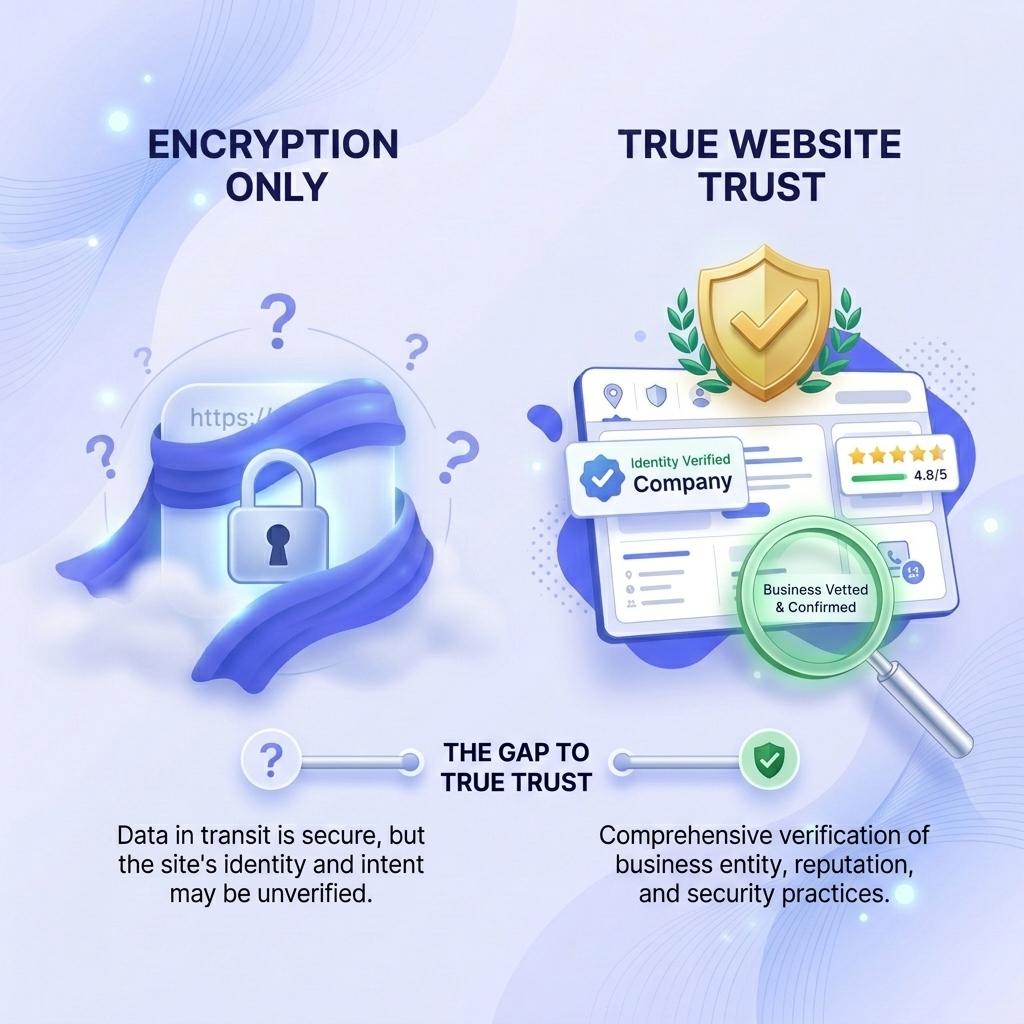
That is incredibly important when you send passwords, credit card numbers, emails, or personal information. But HTTPS says nothing about who is on the other end.
Encryption Does Not Equal Trust.
A scammer can install a strong lock on a fake office. The lock may be excellent, but it does not make the company inside trustworthy.
HTTPS works the same way. It protects your connection to a website. It does not guarantee the website deserves your trust.
Why Scammers Love HTTPS.
Years ago, HTTPS certificates were expensive and complicated. Today, services like Let's Encrypt have made HTTPS free and widely available. That is good for the internet.
It also means scammers can create encrypted phishing websites. The connection is encrypted. The website may still be fraudulent.
The Question Has Changed.
Who is this website, and what do I know about it?
Instead of asking only whether a site uses HTTPS, we should ask what we understand about the website. Trust comes from context, not encryption alone.
What Trust Actually Looks Like.
When you visit a website, many small signals together paint a picture. None of them alone prove a website is trustworthy, but together they tell a more useful story than a padlock.
- How old is the domain?
- Does the website redirect somewhere unexpected?
- Does it clearly explain its purpose?
- Is the destination what you expected?
- Does it have a valid SSL certificate?
- Has it been reported as malicious?
- Does it resemble another well-known domain?
- Does it use suspicious language?
- Are there unnecessary tracking parameters?
HTTPS Is One Piece of a Larger Puzzle.
Both examples can use HTTPS. Both can have valid certificates. But one may inspire more confidence because the domain is known, the destination matches expectations, and the surrounding context makes sense.
The difference is context.
https://secure-payment-update-example.com

https://github.com
Trust Begins Before You Click.
One mistake people make is waiting until a website loads before deciding whether it is trustworthy. By then, they have already committed to visiting it.
A better habit is to evaluate the destination first.
- Where does this URL actually lead?
- Is this the website I expected?
- Does the domain look genuine?
- Is it using a shortened link?
- Is anything trying to hide the destination?
Why Context Matters More Than Encryption.
Both may use HTTPS. The second feels clearer because you immediately understand more about where it goes. Context reduces uncertainty, and uncertainty is often what makes links feel risky.
https://bit.ly/4xY8...

https://examplebank.com/login
The Role of VennURL.
What should I understand about this website before I trust it?
VennURL looks beyond encryption. It explains where a link leads, what the website appears to be, how the destination behaves, whether anything deserves closer attention, and why those details matter.
The goal is not to replace your judgment. The goal is to help you make a better one.
A Better Habit.
The next time you receive a link, do not stop at the padlock. Ask what website it is, why it was shared, where it will take you, and whether anything deserves a second look.
HTTPS protects your connection. Trust is built from transparency, context, and understanding.
Understanding comes before action.
VennURL helps people review destinations, context, and warning signs before deciding what to do next.
Related reading
Keep building context with these VennURL notes.
June 20, 2026
Understanding redirect chains
The page you expect is not always the page you reach. Learn how redirects reveal the journey behind a click.
June 20, 2026
Why website age is not everything
An older domain can be reassuring, but domain age should never be the only reason you trust a website.
June 20, 2026
What happens when you click a shortened link?
Shortened links are forwarding addresses. Learn how redirects, hidden destinations, and tracking shape what happens after the click.
Continue the Conversation
Follow VennURL for more thoughts on URL intelligence, web trust, and building a calmer internet.